
Agency CRM with calling features

Call prospects with their history in view, use data pacing to control when project records reach agents, and give managers and clients a view of delivery. Prospexe also brings campaign setup and follow-up into one browser CRM.

Request a demo

Call with the prospect's history in view

Read the previous conversation and place a manual browser-headset call from the prospect record. Sequential Dial and Go previews each record with a configurable countdown before automatically calling its best available number. Configured parallel calling is also available.

Save the outcome and qualification information with the record so the next authorised agent can continue the conversation. Calling requires provider setup and the relevant permissions. Inbound channels, captions and saved transcripts also depend on workspace readiness.
Data pacing for project records

Set an initial release size, filter by country, sector or both, and choose random matches or the oldest records first. Preview eligible records, then release further batches manually or on a one-off, weekly or monthly schedule.

Choose whether untouched existing records remain available or are held. When you hold them, records already worked, assigned or carrying a callback remain available. Weekly and monthly releases follow the time zone you choose.

Review the brief with managers and clients

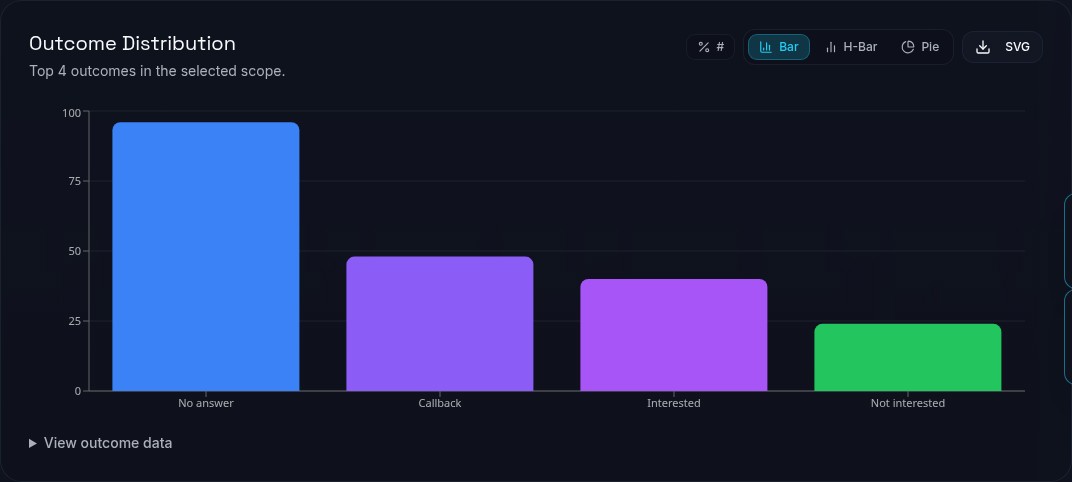
Review agent and project activity, outcomes, RAG KPIs and heatmaps across date ranges, then export the data. Reporting periods, outcome definitions and access permissions affect how figures should be interpreted.

Create branded dashboard-share links for the projects a client needs to see. Set an expiry and password, and review link views. Shared access follows the selected projects and granted permissions.

Set up the information each brief needs

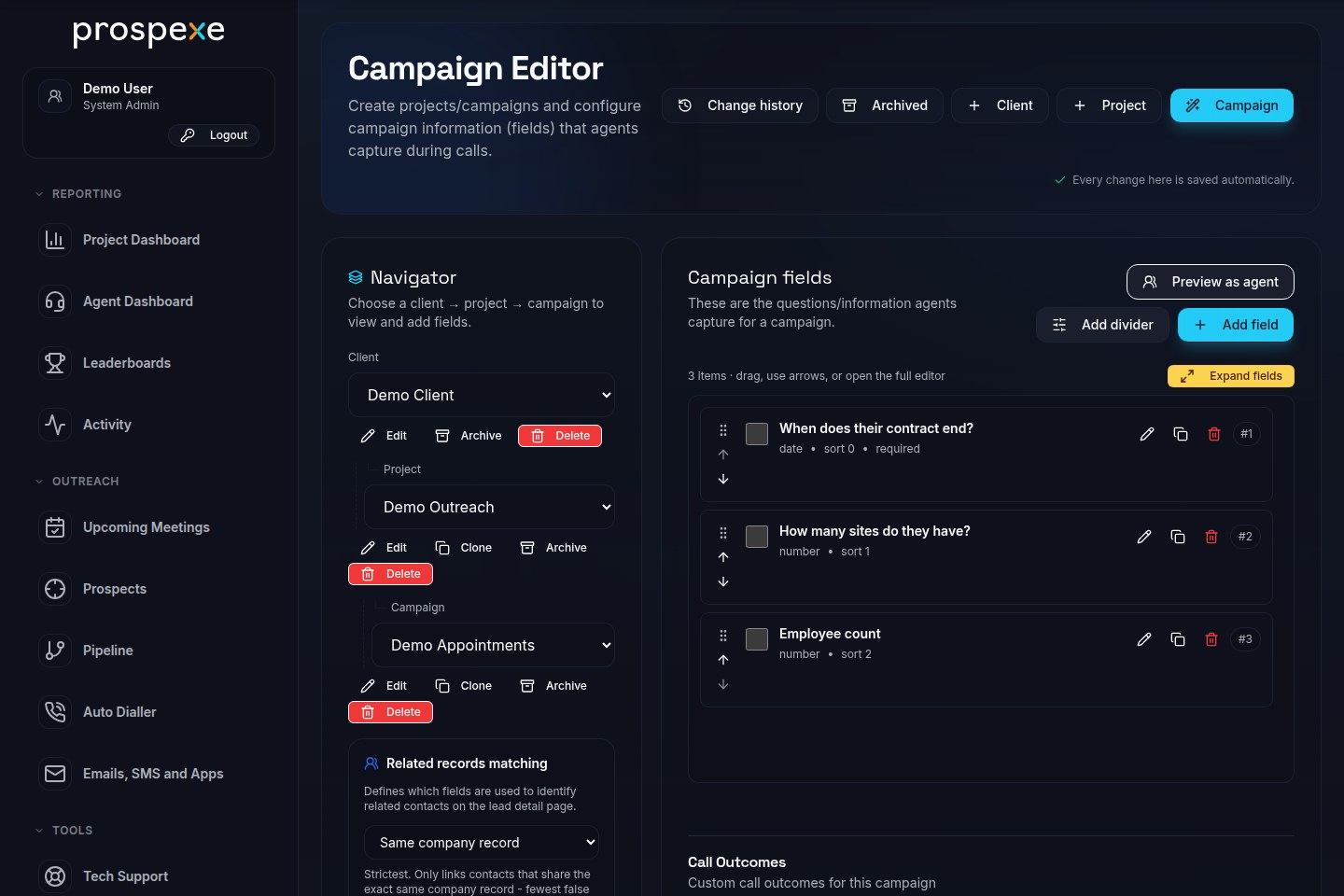
Keep clients, projects and campaigns distinct. Capture the qualification information each brief needs, such as a contract end date or site count, using campaign-specific fields. Companies, contacts and prospect records keep the conversation in context.

Map CSV or XLSX columns to those fields, review import history and source labels, and assign the campaign to the right people. Search, filters and bookmarked views help agents find their work. Permission-controlled data-health checks and exports support manager review.

Leave a clear next action

Use callback reminders, pipeline stages and meetings to keep follow-up with the prospect. Record the conversation and promised next step so a colleague can pick up a callback with the history in view.

Use reusable email templates for correspondence and targeted HTML E-Shots for campaign messages. E-Shots exclude Not Interested and Do Not Call outcomes, opted-out contacts, flagged email addresses and project email suppressions. Your agency remains responsible for lawful contact use.

Connect calling, email and messaging

Twilio supports browser calling and configured SMS and WhatsApp channels. Calling needs telephony credentials and browser-headset setup. Messaging needs provider credentials, a configured sender and channel permissions.

Project email settings support Gmail and Outlook account authorisation through Google and Microsoft OAuth. An administrator must supply that project's OAuth application credentials before an account can be authorised. Mailbox sending still requires SMTP configuration; authorisation alone does not configure email delivery.

Email mailboxes have SMTP/IMAP settings. E-Shots use the project's SMTP connection, configured separately from account authorisation. Customers pay connected-service providers directly.

Support the team beyond campaign work

Managers can review activity and time/idle history, send a nudge and offer permissioned live support. Optional leaderboards, missions, XP, badges, rewards and unlockable themes support team recognition where enabled.

Employees can maintain their details and request holiday or absence. HR managers handle approvals, employee records, handbook acknowledgements and the org chart through role-dependent access.

Cost centres, resource allocations and agent proficiency levels support profit reporting alongside time and project delivery. Display, contrast, motion and language preferences let people adjust their workspace; web radio is optional.