
Can agents work across different client briefs?
Projects, campaigns and assignments support agency work across briefs. Configure access for each role, then check an agent's view with two fictional clients before rollout.
A multi-client agency needs to keep each brief understandable as agents move between campaigns. Prospexe brings client projects, prospect records, calling, callbacks and reporting into one browser CRM.
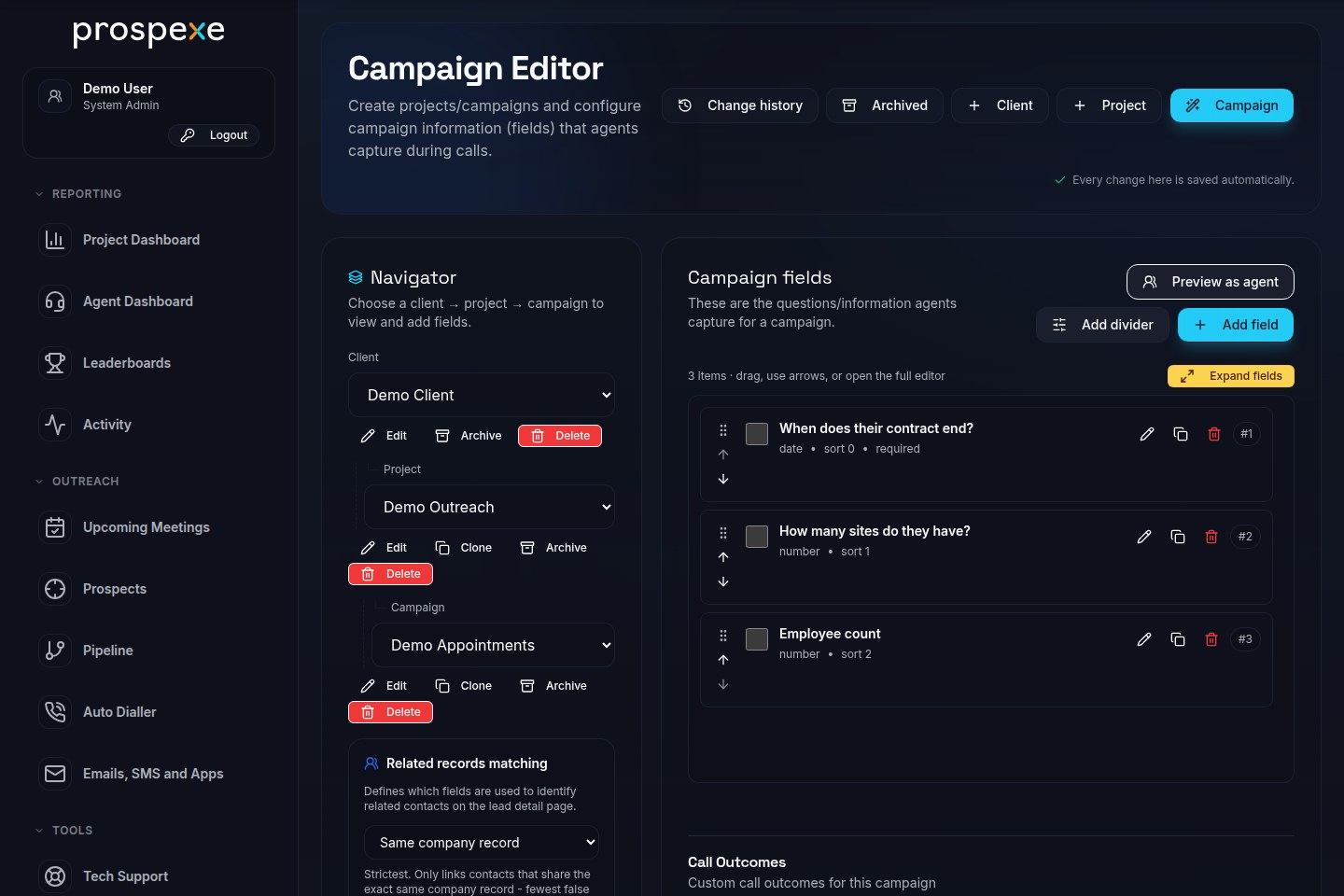
A contract-renewal brief might need a contract end date; a multi-site qualification brief might need site and employee counts. Campaign-specific fields let an agency capture different answers for each client without mixing the briefs. These are illustrative workflows, not customer case studies.
Create separate projects and campaigns, map CSV or XLSX columns to the fields, and keep source labels and import history with the work. Assign agents and configure who can view the project or change the campaign.
For the renewal brief, an agent opens the prospect, reviews its history and places a manual browser-headset call. If the contact asks for a later conversation, the agent records the outcome, qualification information and callback. The next action remains with the record.
When a colleague takes over, the prospect's history and callback provide the context for the next conversation. Ownership, assignments and campaign outcomes keep responsibility visible within each person's access.
Sequential Dial and Go previews each record and starts a configurable countdown before automatically calling its best available number. Agents can pause or skip during preview. Manual and configured parallel calling are also available, subject to provider setup, permissions and operational checks.
Use the prospect's history and reusable email templates to follow up on a conversation. For campaign outreach, prepare a targeted HTML E-Shot with its own audience selection and configured sender.
E-Shots exclude Not Interested and Do Not Call outcomes across the project, opted-out contacts, flagged email addresses and project email suppressions. The agency must still establish lawful use of the remaining contacts and maintain its suppression processes.
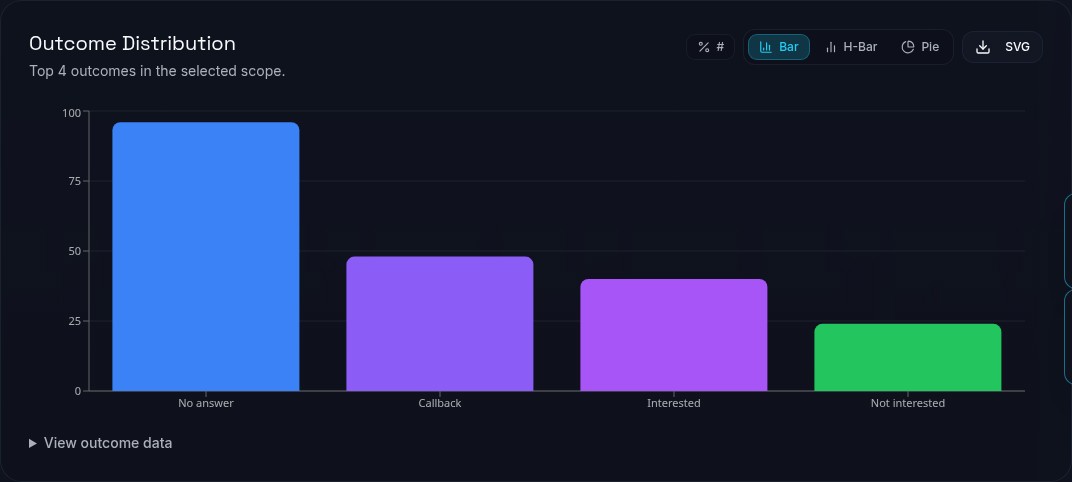
Select the client's project and reporting period to review activity and campaign outcomes. Agent comparisons, RAG KPIs, heatmaps and exports support the delivery review. Read figures in the context of the reporting period, agreed outcomes and access permissions.
An authorised manager can create a branded dashboard-share link for the selected projects, set an expiry and password, and review link views. The client receives a reporting view scoped to the projects and permissions granted.
Projects, campaigns and assignments support agency work across briefs. Configure access for each role, then check an agent's view with two fictional clients before rollout.
Authorised managers can create scoped dashboard-share links. Review the selected projects, expiry and access settings before giving the link to a client.
Bring your campaign structure, qualification questions, team roles and required reporting definitions. Use fictional records and agree provider, migration and support requirements separately.